Creator guide
A link in bio that pays you, without switching tools
Your link in bio is the clickable link on your profile. Add your Partn link to it: accounts that complement yours pay to be featured on your page.
Your profile

clara.home
8,420 followers
Slow living and home decor, every week
clarahome.com
partn.io/clara.home
partn.io/clara.home

clara.home
clarahome.com
Become a partnerPartners
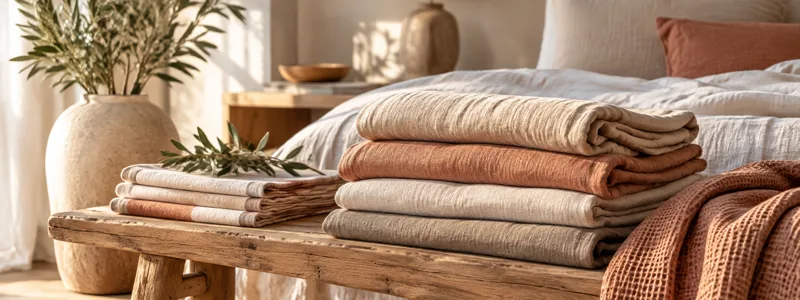
linen.house
Washed linen bedding
Partner featured
linen.house is featured on your page for 14 days. You get paid once the run ends.
Your link in bio gets clicks, and makes you nothing
Every day, people tap your link. They head off to your shop, your latest video, or nowhere.
Your bio today
- Your shop
- Your latest video
- Your contact info
312 clicks this week$0 earned
With Partn
Those same clicks lead to creator accounts that pay to be seen by your audience.
What is a link in bio?
It's a clickable link on your profile, right under your bio. Depending on the platform, you get one or several.
- Instagram
5 links
max, under “Edit profile.”
- TikTok
1 link
once you hit 1,000 followers, or with a verified business account.
How to monetize your link in bio: four ways
Sell your products
Your shop, one tap away.
Affiliate links
A commission on every sale.
Brand inquiries
A contact form for brands.
With Partn
Rent out a spot on your page
Accounts pay to get in front of your audience.
Your Partn link goes anywhere, even inside your links
On its own in your bio, or as one more line in your link tool. Already selling something? No stress: your Partn page links to your shop, so your visitors still end up there. You don't lose a thing.
- In your bio
- In your links
- On your website
- In a blog post
- In your newsletter
- Under your videos
Partn figures out on its own where your visitors come from.
Your link tool
- My shop
- My latest video
- My Partn page · partn.io/clara.home
Detected automatically
See where your users come from
- instagram.comVerified
- tiktok.comVerified
- youtube.comVerified
- clarahome.comVerified
- myshop.comVerified
- myblog.comVerified
Tap into the network's reach
Partn suggests your profile on the pages of accounts that complement yours. Never on a direct competitor's!
One condition: your link has to be posted somewhere, and people have to click it. Post it everywhere your audience already follows you online.
partn.io/mira.studio

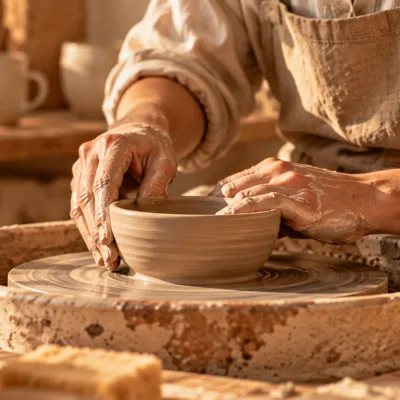
mira.studio
Handmade ceramics, small batches
Become a partnerclara.home
Slow living and home decor, every week
How it works
Add your Partn link to your bio in three steps
- 01
Create your page
One sentence and one image.
- 02
Post your link everywhere online, then click it once
Your page gets “Verified presence” and can be suggested anywhere else in the Partn network.
- 03
Set your price
Requests come in: you choose which accounts you're willing to show your audience.
Add my link on Instagram
Instagram › Edit profile › Links
Frequently asked questions
Can I keep my Linktree?
Yes, you can! Put your Partn link in your bio, and your Linktree link on your Partn page: your visitors still find all your links. Your Partn page already shows your products and links to your shop; step by step, we're building what you'll need to sell right from it one day.
How do I add a link in bio on Instagram and TikTok?
On Instagram: Edit profile › Links › Add external link. On TikTok: Edit profile › Website, once you have 1,000 followers or a verified business account. Then paste your Partn link: you'll find it at the bottom of the menu in your Partn account, next to your name.
Does my Partn page show other accounts too?
Yes: your partners, plus suggested accounts that complement yours. It goes both ways: the network also shows your page on complementary accounts in your niche, so you get in front of their audience. And if you'd rather not, you can turn suggestions off from your profile, in the bottom-left menu of your Partn account.
Can I see where my clicks come from?
Yes. Partn lists the sites your visitors come from, counts your page's views and clicks, and shows what each partnership or suggestion brought you. That way you know which audience responds best to what you offer.
Is it free?
Yes. Partn is free, and it's not a trial: you create your page, set your price and get requests without paying a thing. Partn only takes a commission on the partnerships you accept. A Business subscription adds features, but you can use Partn fully without it.
Turn your link in bio into a launchpad for your creator business
Create your page, then post your link everywhere your audience follows you online.
Create my page for free